
10 Free Browser Games for Kids That Work on School Computers
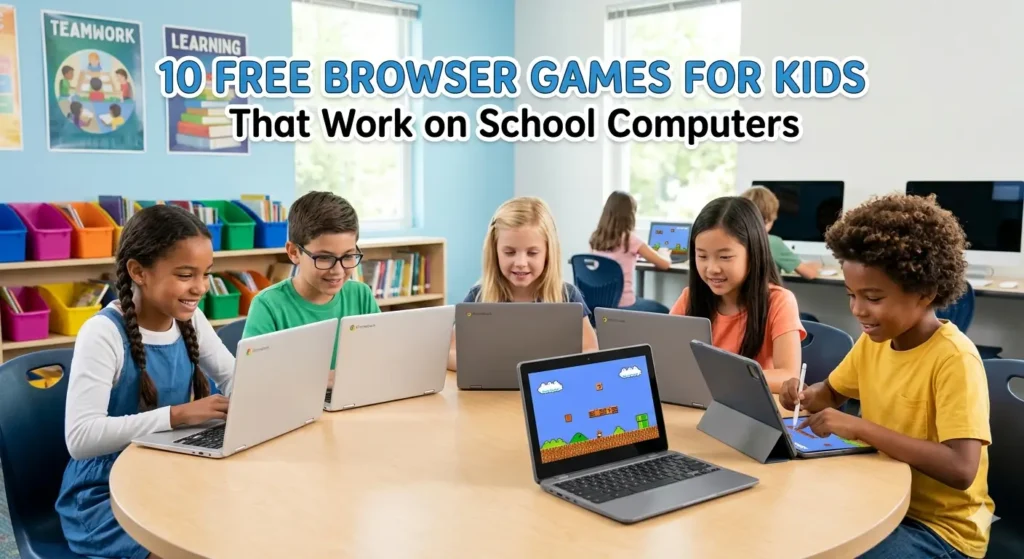
If you have ever tried to play a game on a school computer, you already know the problem. Half the sites are blocked. The other half want you to download something or create an account. The ones that do load are usually slow, or require a Flash plugin that stopped working years ago.
This list is different. Every game here runs directly in your browser, needs no download, no login, and no app install. They work on the kind of computers schools actually have older machines, locked-down browsers, slow connections. We tested each one on EduDu and they all load cleanly.
Whether you are a student looking for something to play after finishing your work, a teacher wanting a quick brain activity for the class, or a parent setting up game time at home, these are worth bookmarking.
1. Cut the Rope

Cut the Rope is one of those games that looks simple and turns out to be surprisingly deep. Your job is to cut ropes in the right order so that a candy drops into the mouth of a small creature called Om Nom. Each level introduces new elements like bubbles, spikes, bouncing platforms that make you think differently about each puzzle. It is entirely mouse-controlled, works perfectly on older hardware, and loads instantly. A genuine classic.
Good for: Ages 7 and up, logical thinking, patience
2. Kobadoo Arithmetic

This one is genuinely educational in the best possible way, it does not feel like a worksheet. Kobadoo Arithmetic flashes arithmetic problems on screen and you have to answer before the timer runs out. The pace gets faster as you go, which keeps even quick kids on their toes. Teachers use this as a warm-up activity before math lessons. Kids use it to compete against their own scores.
Good for: Ages 6 to 12, mental math, quick thinking
Play Kobadoo Arithmetic on EduDu
3. Kobadoo Flags

If you have ever wanted to learn world flags without sitting through a geography lesson, this is it. Kobadoo Flags shows you a flag and gives you four countries to choose from. It starts manageable and gets harder as you progress through less familiar nations. Surprisingly addictive, especially if you are even slightly competitive.
Good for: Ages 8 and up, geography, general knowledge
4. Master of Numbers

Master of Numbers is a fast-paced number game that challenges how quickly you can process sequences and patterns. It sounds dry but plays nothing like it. The visual design is clean and the difficulty curve is well-judged — it starts easy enough that younger kids can get into it, but ramps up fast enough to challenge older players too.
Good for: Ages 7 and up, number recognition, concentration
Play Master of Numbers on EduDu
5. Lipuzz Water Sort Puzzle

The concept here is beautifully simple. You have a set of tubes filled with colored liquid and you need to sort them so each tube contains only one color. No time pressure, no lives to lose — just pure problem solving at your own pace. It is the kind of game that is genuinely hard to put down once you start, which makes it perfect for a longer free period.
Good for: Ages 8 and up, logical thinking, patience, color recognition
Play Lipuzz Water Sort Puzzle on EduDu
6. Portal

Not the Valve game — this is a browser puzzle game built around the same core idea of using portals to move objects through space. It is more approachable than it sounds and teaches spatial reasoning in a way that few games manage. If you have a kid who says they are bored of puzzle games, give them this one.
Good for: Ages 10 and up, spatial reasoning, creative problem solving
7. Match Mystery

Match Mystery is a memory card game with a twist. Instead of matching identical images, you match related pairs — which means you are learning connections between things rather than just memorizing positions. It loads in seconds, works on any browser, and is genuinely suitable for the whole class to play together on a projector.
Good for: Ages 6 and up, memory, concentration, visual recognition
8. Kobadoo Numbers

From the same family as Kobadoo Arithmetic, this one focuses on number recognition and ordering rather than calculation. It is better suited to younger kids who are still building their relationship with numbers. Clean interface, no distractions, and it loads on anything.
Good for: Ages 5 to 8, number recognition, early numeracy
9. Awareness Game — The Robot Bar

This one is a bit different. It is a spot-the-difference style game set in a robot bar, and it is designed to test how much you actually notice about what is in front of you. The concept sounds straightforward but the game is genuinely tricky. It works brilliantly as a classroom activity because it sparks conversation about observation and attention.
Good for: Ages 8 and up, observation skills, attention to detail
10. Puzzlebot
Puzzlebot is a logic puzzle game where you guide a small robot through increasingly complex levels. It introduces programming-style thinking — sequencing, cause and effect, planning ahead — without ever using those words. For any teacher trying to introduce computational thinking without a coding tool, this is a quiet way to do it.
Good for: Ages 8 and up, logical sequencing, early computational thinking
Why These Games Work on School Computers
All of the games listed above are HTML5 browser games. That means they do not need Flash, do not require any plugin, and do not ask you to install anything. They run in Chrome, Firefox, Edge, and Safari including older versions of each. Most school networks block game download sites but have no reason to block a standard web page, which is exactly what each of these is.
If a game is not loading on your school network, try opening it in a private browsing window first. If it is still blocked, your school IT administrator may have restricted access to gaming sites generally.
The games on this list are not here to waste time. Every one of them asks something of the player, whether that is quick mental arithmetic, spatial reasoning, memory, observation, or logical planning. The best part is that most kids playing them would not describe it as learning. They would just say they are having fun.
That is exactly the point.
Explore more free browser games at Edudu.org.